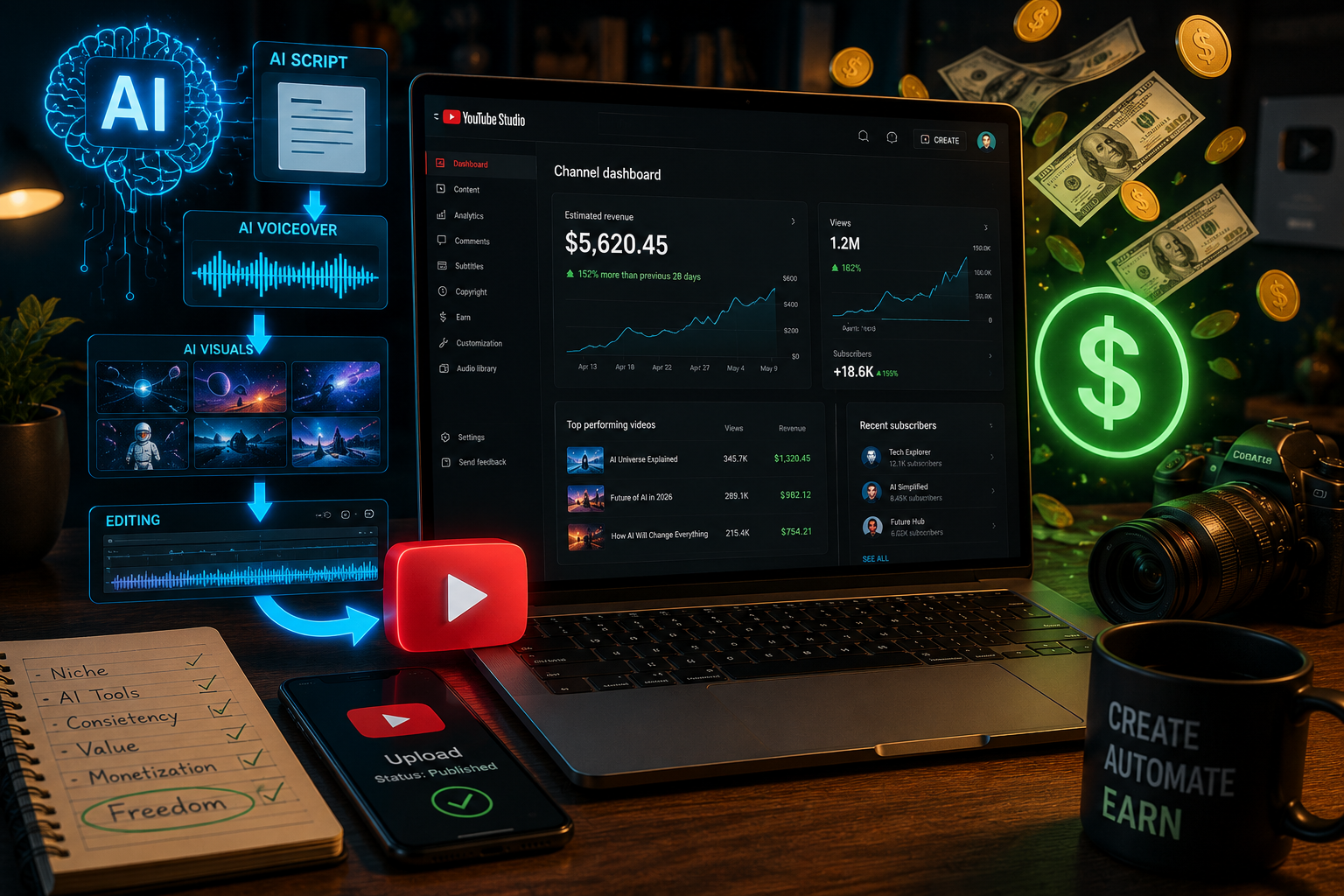
Most YouTube creators spend 3–6 hours writing a single script. By the time you finally hit record, you’re exhausted — and you still have editing, thumbnails, and uploading ahead of you. In 2026, there’s a smarter way: you can generate YouTube scripts automatically using AI, cutting that process down to under 10 minutes without sacrificing quality. This guide walks you through exactly how it works, step by step.
Why Manual Script Writing Kills Your Channel Growth
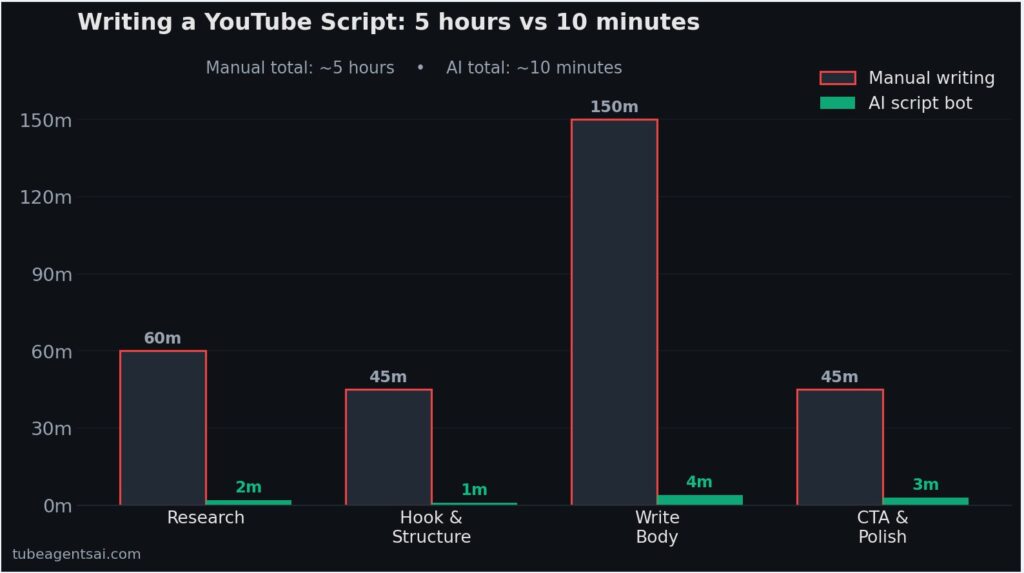
If you’ve ever stared at a blank Google Doc at midnight, trying to piece together a 10-minute YouTube script from scratch, you know the pain. Most creators spend 3–6 hours writing a single video script — researching the topic, structuring the hook, writing the body, refining the CTA. That’s before filming, editing, or uploading a single frame. For channels trying to post consistently, this bottleneck is the number one reason growth stalls.
The hard truth? YouTube rewards consistency above almost everything else. The algorithm doesn’t care how brilliant your script is if you only publish once a month. But when you’re the writer, researcher, editor, and publisher all at once, daily uploads feel impossible. That’s exactly why more creators in 2026 are turning to AI to generate YouTube scripts automatically — not to replace creativity, but to eliminate the time drain.
How AI Script Generation Actually Works
A lot of creators assume AI-generated scripts are just generic, robotic text dumps. That was true in 2022. Modern AI script tools are a different story entirely.
Today’s AI script generators use large language models trained specifically on video content, engagement patterns, and SEO data. They don’t just produce filler — they structure scripts with proven YouTube formats: strong hooks in the first 30 seconds, clear story arcs, natural transitions, and CTAs that drive watch time. Some tools go further and optimize scripts based on your channel niche, target audience, and even trending keywords.
The key difference from simply “asking ChatGPT for a script” is context and workflow. A dedicated YouTube script AI knows the platform’s structure — it knows a cold open needs to hit hard, that pacing matters for retention, and that your outro should tease the next video. When properly configured, these tools produce scripts that feel like they were written by someone who actually understands YouTube — because the model was trained on content that performs.
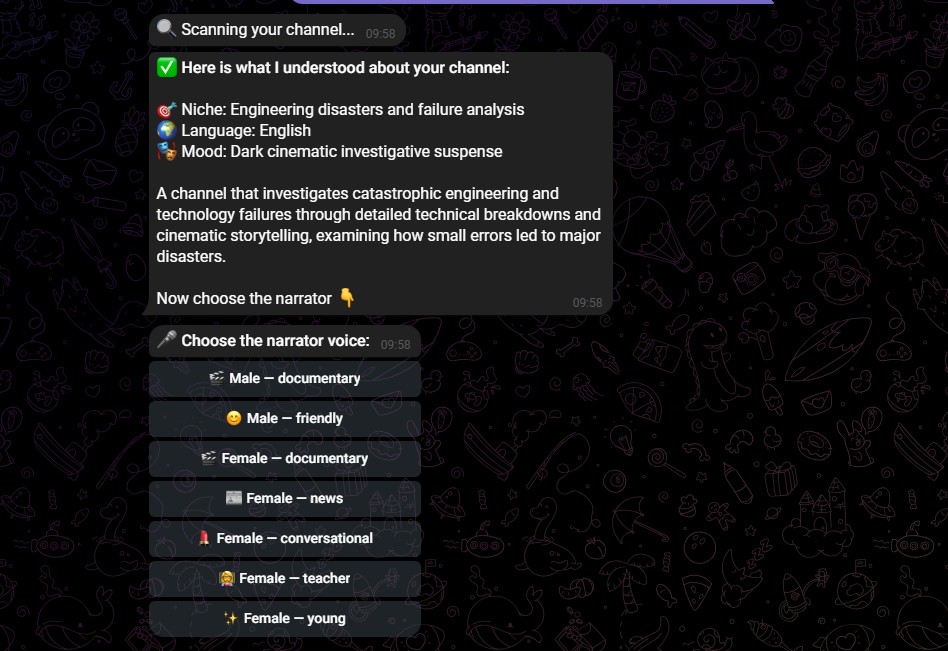
This is also where automation bots like @AIYouTubeConveyerBot on Telegram stand out. Rather than a standalone script editor, the bot operates as part of a full YouTube content pipeline — handling not just scripts, but also titles, descriptions, SEO optimization, and even voiceover preparation. You give it a topic, it handles the rest.
Step-by-Step: Generate a YouTube Script in Under 10 Minutes
Here’s the exact workflow you can use right now to go from topic idea to a ready-to-record script in less than 10 minutes.
Step 1: Choose Your Topic and Target Keyword (1 minute)
Before you touch any AI tool, spend 60 seconds identifying your video topic and one target keyword. This is your foundation. For example: “best budget microphones for YouTube in 2026”. Having this ready means the AI generates content with actual search intent, not just a generic overview.
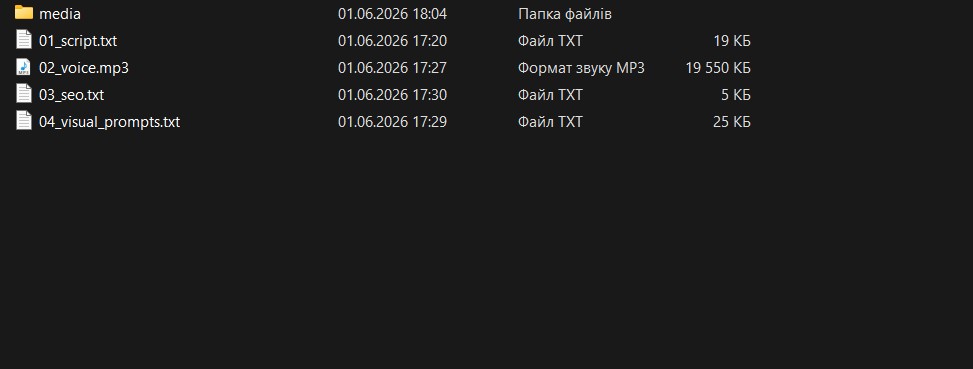
Step 2: Open @AIYouTubeConveyerBot on Telegram (1 minute)
Search for @AIYouTubeConveyerBot in Telegram and start a session. The bot operates through a simple command-based interface — no dashboards, no subscriptions to manage, no complicated UI. Just open it and go.
Step 3: Input Your Topic and Preferences (2 minutes)
Send the bot your video topic, along with any specific notes: desired video length, tone (educational, entertaining, conversational), and your niche. The more context you give, the better the output. You can also specify whether you want a talking-head script, a faceless voiceover script, or a storytelling format.
Step 4: Review and Receive the Script (3–4 minutes)
The bot generates a full script, typically structured with: an attention-grabbing hook, an intro that establishes value, a body broken into clear sections, natural transitions, and a strong CTA at the end. Processing usually takes under 2 minutes. You’ll receive the complete script directly in the chat — ready to copy, adjust, or record.
Step 5: Refine (Optional, 2 minutes)
AI output is a first draft, not a final product. Spend 2 minutes reading through it, adding your personal examples, adjusting any phrasing that doesn’t match your voice, and cutting anything that feels off. In most cases, the script is 80–90% ready to record right out of the bot.
Real Example: Script Generated by @AIYouTubeConveyerBot
Here’s a condensed example of what the bot actually generates. Topic input: “How to start a faceless YouTube channel with no equipment”.
[HOOK]
You don’t need a camera. You don’t need a microphone. You don’t even need to show your face. I started a faceless YouTube channel with nothing but a free AI tool and a phone — and hit 1,000 subscribers in 60 days. Here’s exactly how I did it.
[INTRO]
In this video, I’m going to walk you through the complete setup for a faceless YouTube channel in 2026 — from niche selection, to your first upload, to the tools that make it actually sustainable without burning out.
[BODY — Section 1: Picking Your Niche]
The first thing most people get wrong is picking a niche that’s too broad. You don’t want to be “a tech channel.” You want to be the channel that covers AI tools for freelancers, or budget tech for students. Specificity wins on YouTube. Here’s a quick 3-step framework for validating your niche before you make a single video…
[BODY — Section 2: Your Free Toolkit]
You’ll need exactly three tools: a free AI voiceover generator, a free screen recorder, and @AIYouTubeConveyerBot to handle your scripts automatically. That’s it. No Premiere Pro. No expensive mic. I’ll link everything below.
[CTA]
If you want the full script template I use for every video, drop a comment saying “script” and I’ll send it over. And if you’re not subscribed yet — hit that button, because next week I’m covering exactly how I get 10,000 views on a brand new channel with zero subscribers.
This script was generated in under 90 seconds. It hits the hook, has clear structure, includes a CTA, and is ready to record. That’s what a proper AI script tool delivers — not a pile of generic bullet points, but a real, recordable script.
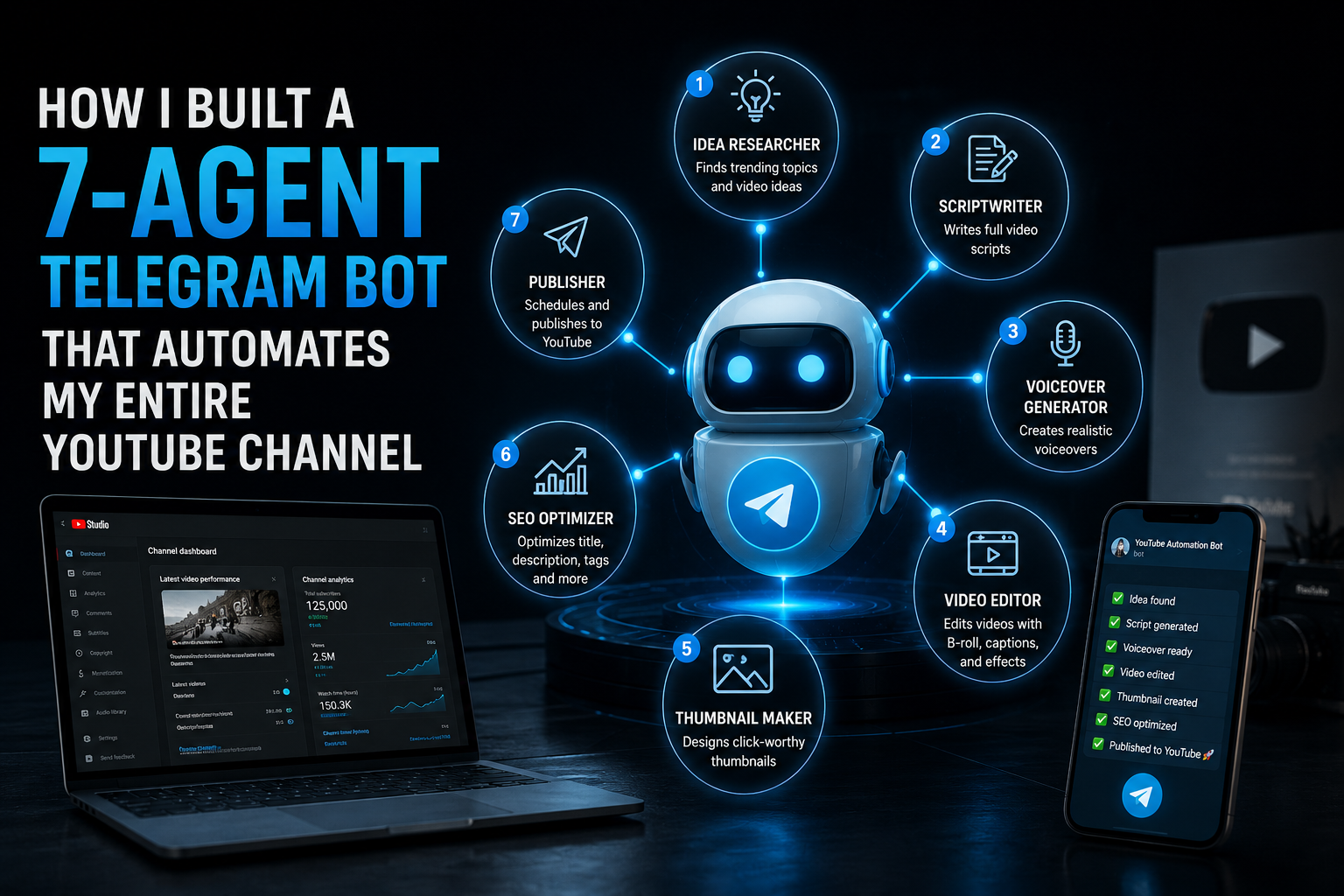
If you want to see the full automated workflow this bot is part of, check out our post on how we built a 7-agent Telegram bot that automates an entire YouTube channel.
Common Mistakes to Avoid When Using AI Script Tools
Vague prompts get vague scripts. Telling an AI to “write a script about fitness” will get you something painfully generic. Be specific: include your niche, your audience’s pain point, the video format, and the desired length. The more context you give, the closer the first draft will be to something recordable.
Publishing raw AI output without edits. Even the best AI script generator produces a first draft. Your personal anecdotes, your specific experiences, your humor — these things matter to your audience and they make you stand out. Always add at least 2–3 personal touches before recording.
Ignoring your own voice. If the script sounds nothing like how you speak, your viewers will notice the disconnect between your delivery and your words. Read the script out loud before recording. Adjust anything that feels unnatural. AI gives you the structure; you bring the personality.
Using AI scripts without an SEO layer. A great script that no one finds is a wasted effort. Pair your script generation with keyword research and proper metadata. Tools like @AIYouTubeConveyerBot handle SEO optimization as part of the same workflow — titles, descriptions, and tags are generated alongside the script itself. Check out our breakdown of the best AI bots for faceless YouTube channels to see how end-to-end automation compares to doing it manually.
Over-relying on AI for every decision. AI is a production tool, not a strategy tool. Use it to execute, not to decide what your channel should be about or how to connect with your audience. That part still requires your judgment.
Conclusion: Generate YouTube Scripts Automatically and Take Back Your Time
The biggest bottleneck between most creators and consistent publishing isn’t talent, equipment, or ideas — it’s time. Writing scripts manually is slow, draining, and completely unnecessary in 2026 when the tools to generate YouTube scripts automatically are already available, free to try, and proven on real channels.
The workflow is simple: pick your topic, feed it to an AI script bot, review the output, add your personal touch, and record. What used to take 4 hours now takes under 15 minutes. That’s not a small improvement — it’s the difference between posting twice a week and posting twice a month.
If you’re ready to stop wasting hours on blank page paralysis and start building a real, consistent YouTube presence, there’s one tool worth starting with right now.
👉 Try @AIYouTubeConveyerBot free on Telegram — get your first AI-generated YouTube script in under 2 minutes.