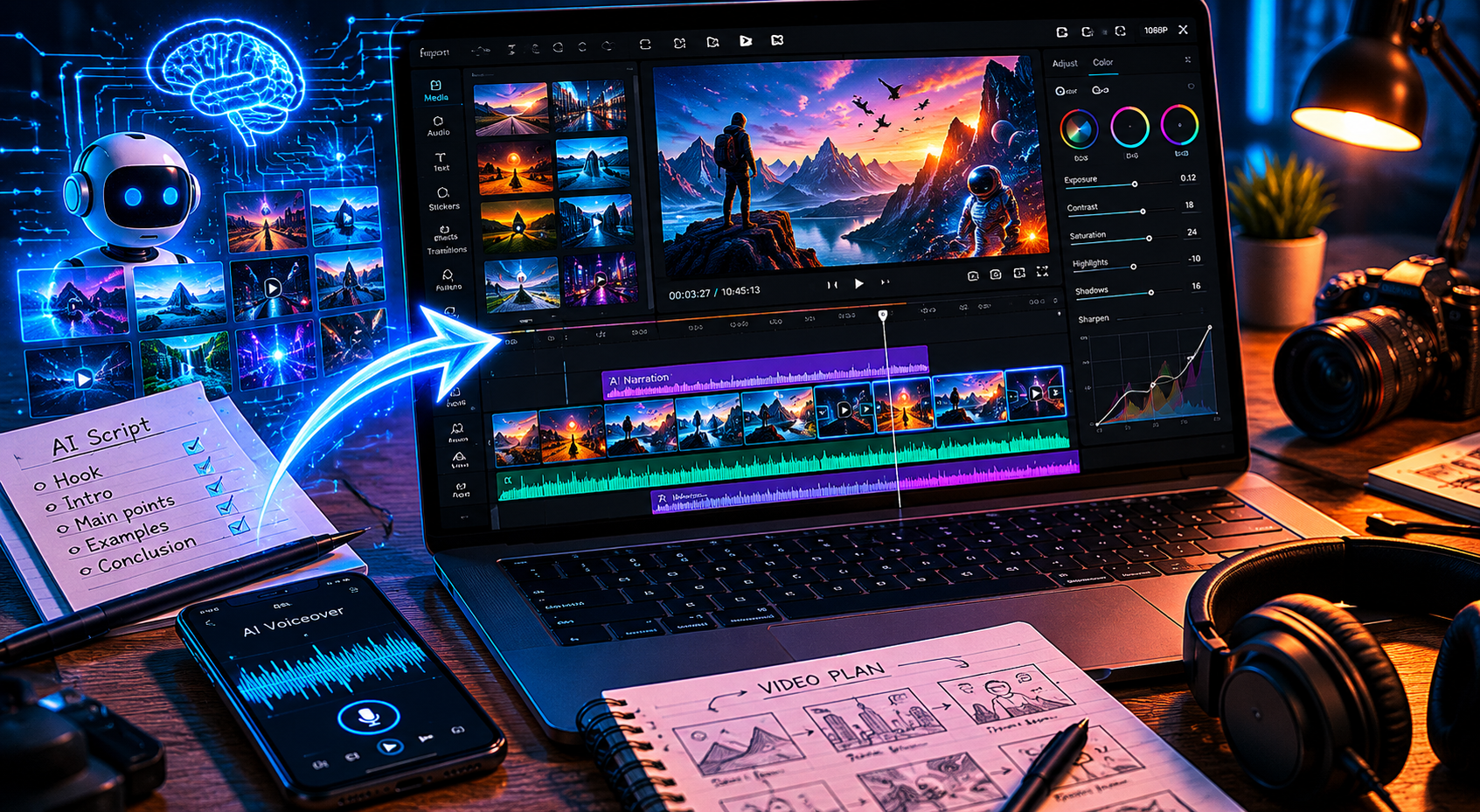
The majority of YouTube videos published every day get fewer than 100 views — not because they’re bad, but because nobody can find them. YouTube processes over 500 hours of video uploads per minute, and without proper metadata, a video is essentially invisible. YouTube SEO automation is the practice of using AI to generate optimized titles, tags, and descriptions that give every video a real chance of being discovered — without spending an hour on keyword research per upload. In 2026, this is no longer a nice-to-have. It’s the baseline for any channel that intends to grow.
Why YouTube SEO Still Matters in 2026 (More Than Ever)
There’s a persistent myth that YouTube SEO matters less than it used to — that the algorithm has become so advanced at recommending content based on viewer behavior that metadata is almost irrelevant. This is partly true and mostly wrong.
It’s true that YouTube’s recommendation engine has become more sophisticated. A video with strong watch time and engagement will eventually find an audience even with mediocre metadata. The operative word is “eventually” — and on a platform where the first 48 hours of a video’s life determine a significant portion of its long-term reach, waiting for the algorithm to figure out your video is a slow and unreliable strategy.
What hasn’t changed is YouTube Search. A meaningful percentage of YouTube traffic still comes from direct search queries — users typing a specific phrase into the search bar and clicking a result. For informational, tutorial, and review content especially, search-driven traffic is often more valuable than recommendation traffic because it arrives with clear intent. A viewer who finds your video by searching “how to start a faceless YouTube channel” is more likely to subscribe, click links, and engage than a viewer who stumbled across your video in their recommended feed.
In 2026, the channels that grow consistently are the ones optimizing for both — strong content that earns recommendations, and strong metadata that captures search traffic. AI makes it possible to do both without doubling the production time per video.
The 3 Pillars of YouTube SEO: Titles, Tags, Descriptions
YouTube’s search and discovery system uses multiple signals to decide where to rank and recommend a video. Three metadata elements remain the most directly actionable for creators.
Titles
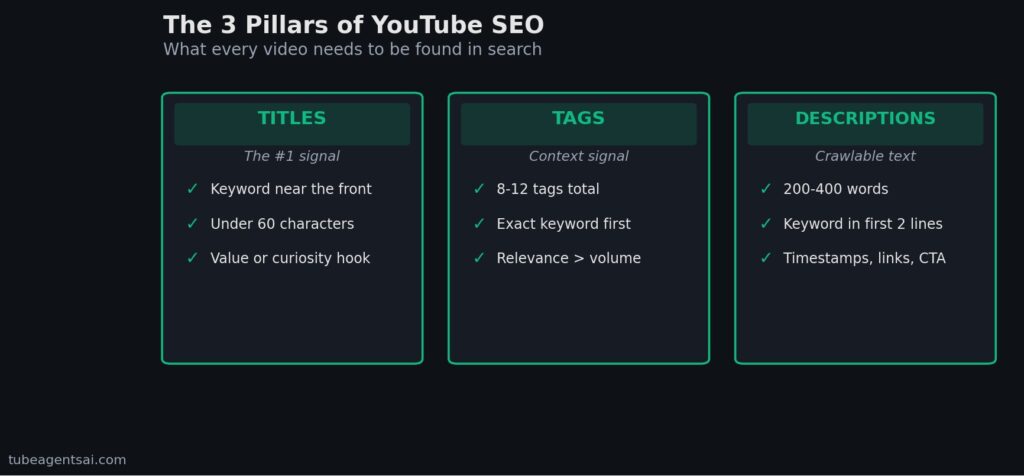
The title is the single most important piece of metadata on a YouTube video. It serves two purposes simultaneously: it signals to the algorithm what the video is about, and it convinces a human viewer to click. A good YouTube title in 2026 contains the primary keyword near the front, delivers a clear value proposition or creates curiosity, and stays under 60 characters so it doesn’t get truncated in search results and mobile feeds.
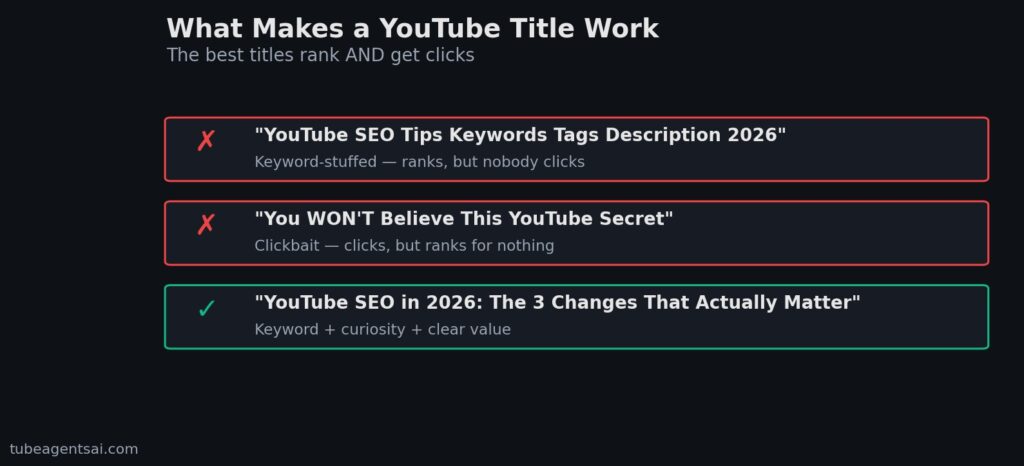
The most common title mistake is writing for one purpose but not the other — either a keyword-stuffed title that ranks but no one clicks (“YouTube SEO Tips Keywords Tags Description 2026”), or a click-bait title that earns clicks but doesn’t rank for anything (“You WON’T Believe This YouTube Secret”). The best titles do both: “YouTube SEO in 2026: The 3 Changes That Actually Matter” contains a keyword, creates curiosity, and gives the viewer a reason to click.
Tags
Tags carry less weight than they did in earlier years, but they’re not meaningless. YouTube uses tags as additional context signals — particularly useful when a title or description is ambiguous, or when you want to associate your video with specific subcategories within your niche. The practical approach: use 8–12 tags, start with your exact target keyword, include two or three related phrases, and add two or three broader category tags. Don’t pad with dozens of vaguely related terms — tag relevance matters more than tag volume.
Descriptions
The YouTube description is significantly underutilized by most creators. YouTube’s algorithm reads the full description text when categorizing a video — which means a well-written, keyword-rich description of 200–400 words can meaningfully improve both search ranking and recommendation accuracy. The first two to three sentences are especially important because they appear in search results below the title, functioning as a second CTA alongside the thumbnail.
A strong description structure: lead with two to three sentences summarizing the video’s value with the primary keyword included, follow with a paragraph expanding on the main topics covered, include timestamps if applicable, add relevant links (to your other videos, tools mentioned, social profiles), and close with a soft subscribe CTA. This structure takes under five minutes to produce when AI is handling the draft.
How AI Automates YouTube SEO (Without the Guesswork)
Manual YouTube SEO done properly takes 30–60 minutes per video: keyword research, competitor title analysis, description drafting, tag selection. At one video per week, that’s manageable. At one video per day — or thirty per month, as covered in our guide on batch creating YouTube videos with AI — it becomes the single largest time sink in the entire production process.
AI SEO tools address this in three ways.
Keyword identification at scale. AI tools trained on YouTube search data can identify high-opportunity keywords for a given topic in seconds — keywords with meaningful search volume, manageable competition, and strong click intent. What takes a human 20 minutes of manual research across multiple tools happens in a single generation.
Title generation with dual optimization. AI can simultaneously optimize a title for keyword inclusion and click-through potential by analyzing patterns from high-performing titles in similar niches. Rather than writing one title and hoping it works, you can generate five to ten variants and select the strongest — in the same time it would take to write one title manually.
Description drafting from script context. When an AI tool has access to your video script, it can generate a description that accurately reflects the video’s content, naturally incorporates relevant keywords, and follows a proven structure — without requiring you to watch your own video and summarize it. This context-aware approach consistently outperforms template-based descriptions because it’s specific to the actual content rather than generic to the topic.
These capabilities apply whether you’re optimizing a long-form video, a Short, or a faceless channel upload. The SEO requirements are consistent across formats — only the specific keywords and content angle change. For how this fits into a Shorts-specific workflow, see our breakdown of faceless YouTube Shorts automation.
How @AIYouTubeConveyerBot Handles SEO as Part of the Pipeline
The distinction between a standalone SEO tool and an integrated pipeline tool matters enormously in practice. A standalone SEO tool requires you to input a topic, get keyword suggestions, take those suggestions to a title generator, take the title to a description tool, and manually assemble the results. Each step is a separate session with a separate interface.
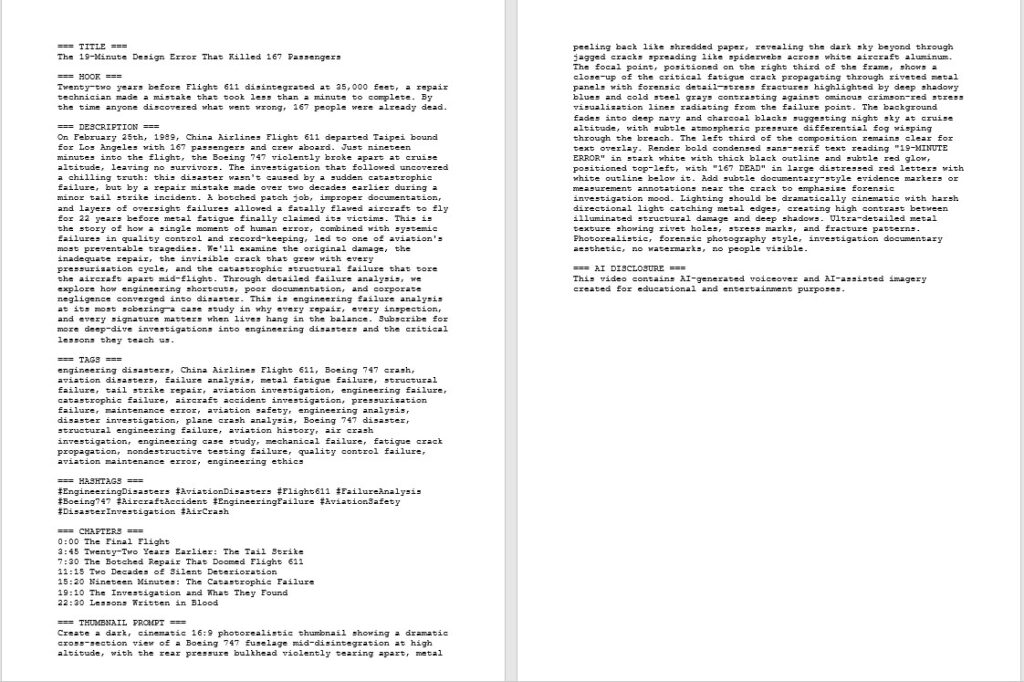
@AIYouTubeConveyerBot eliminates this by generating the complete SEO package — title, description, and tags — as part of the same output as the script, voiceover notes, and thumbnail brief. You send one topic; you receive one content package. The SEO assets aren’t generated after the content; they’re generated from the content, using the script as context for keyword selection and description drafting.
This approach produces better SEO output than context-free keyword tools for a simple reason: the description accurately reflects what’s actually in the video, the tags match the script’s actual topics, and the title is informed by the video’s specific hook rather than just the broad topic category. The difference is especially noticeable in competitive niches where generic, topic-level SEO is insufficient to differentiate from existing content.
For creators running fully automated faceless channels — the kind benchmarked in our review of the best AI bots for faceless YouTube channels — this integrated SEO generation is what allows the full pipeline from topic to upload-ready package to happen within a single session. The underlying architecture of how the bot coordinates multiple AI agents across the content stack is covered in the post on building a 7-agent Telegram bot for YouTube automation.
Step-by-Step: Optimize Any Video in Under 5 Minutes with AI
Whether you’re using @AIYouTubeConveyerBot or another AI SEO tool, here’s the exact optimization sequence that produces strong metadata consistently.
Step 1: Define the Target Keyword (30 seconds)
Before generating anything, identify the single most important search phrase you want this video to rank for. This is your primary keyword — the phrase a viewer might type into YouTube to find this specific video. Be specific: “YouTube SEO 2026” is broad; “how to optimize YouTube descriptions for search” is specific. The more precise the keyword, the more relevant the AI-generated metadata will be.
Step 2: Generate Title Variants (1 minute)
Input your topic and primary keyword into @AIYouTubeConveyerBot or your chosen AI title tool. Request three to five title variants. Review them against two criteria: does each title contain the keyword naturally? Does each title give a viewer a compelling reason to click? Select the strongest variant, or combine elements from two options if neither is perfect as written.
Step 3: Generate the Description (2 minutes)
If the tool has access to your script, provide it. The AI will generate a description that naturally incorporates your primary keyword in the first two sentences, covers the main topics of the video in the body, and closes with a CTA. If working without a script, provide a brief summary of the video’s main points — even two or three bullet points give the AI enough context to write a specific rather than generic description.
Step 4: Select Tags (1 minute)
Review the AI-generated tag list. Keep your exact primary keyword as the first tag, retain any related phrases with strong relevance, and remove any tags that feel like padding. Aim for 8–12 final tags. Add one or two channel-specific tags (your channel name, your niche category) if you use them consistently across videos.
Step 5: Paste and Publish (30 seconds)
Copy the final title, description, and tags into YouTube Studio. If you’re scheduling the video rather than publishing immediately, save as draft. Total active time: under five minutes from keyword input to complete metadata ready for upload.
YouTube SEO Mistakes That Cost You Views
Keyword stuffing in titles and descriptions. Repeating your target keyword five times in a 200-word description doesn’t improve rankings — it makes the text read unnaturally and YouTube’s algorithm is sophisticated enough to penalize obvious over-optimization. One natural inclusion of the primary keyword in the title, two to three in the description, and once in the first tag is sufficient.
Writing descriptions as an afterthought. The most common description strategy — a two-sentence summary followed by 40 lines of social media links — wastes the most valuable piece of crawlable text on your video. A properly written 300-word description that covers the video’s main topics in natural language adds meaningful ranking signal without any additional production work.
Ignoring click-through rate optimization. SEO gets your video in front of potential viewers. CTR determines whether they click. A video ranking in position three for a high-volume keyword with a 2% CTR will underperform a video in position seven with an 8% CTR — because YouTube uses CTR as a ranking signal and will eventually push the higher-performing video up. Thumbnail and title optimization work together with SEO, not separately from it. Our guide on using an AI thumbnail generator for YouTube covers the CTR side of this equation in detail.
Never updating old metadata. Videos that were published with weak metadata don’t have to stay that way. Updating the title, description, and tags on an underperforming video can revive its search visibility — YouTube re-indexes the metadata and may surface it for queries it wasn’t ranking for previously. This is especially worth doing for videos that have strong watch time but poor search traffic, which suggests the content is good but the metadata isn’t connecting it to the right queries.
Treating all video formats identically. SEO for a 12-minute tutorial video is different from SEO for a 45-second Short. Shorts rely more heavily on title and thumbnail CTR because descriptions are truncated in the Shorts feed. Long-form videos benefit more from detailed descriptions because they have more searchable content to match against queries. Adjust your AI SEO prompts to specify the format — the output will be noticeably more appropriate. This is especially relevant for creators running mixed-format channels, which the AI script generation guide and AI voiceover guide cover in their respective format-specific sections.
Conclusion: YouTube SEO Automation Is the Foundation, Not the Finish Line
Every component of a YouTube content pipeline — scripts, voiceovers, thumbnails, batch scheduling — depends on YouTube SEO automation to connect the resulting videos with actual viewers. You can produce thirty videos a month with a perfectly efficient AI workflow and still see minimal growth if the metadata isn’t working. SEO is the distribution layer. Everything else is the production layer. Both have to function for a channel to grow.
The good news is that AI has made proper YouTube SEO accessible to solo creators without dedicated research time or specialist knowledge. A tool that generates optimized titles, descriptions, and tags in the same session as your script removes the last excuse for publishing videos with weak metadata. The optimization doesn’t have to be perfect — it has to be consistent. And consistency at scale is exactly what automation enables.
👉 Try @AIYouTubeConveyerBot free on Telegram — get your title, description, tags, script, and thumbnail brief delivered together for any video topic in under two minutes.